 Razor Labs
Turning AI alerts into decisions experts can stand behind.
Razor Labs uses AI to predict when heavy machines in mines, energy plants and factories are about to fail. Inspector is the internal workspace where its experts review every alert the AI raises, confirm or correct it, and feed that judgment back into the models.
The problem
The AI could flag a failing machine. Experts couldn't see why.
Every machine is watched by five kinds of sensors. The data was all there, but experts jumped between systems to piece together what happened, and dense charts buried the few signals that mattered.
Without seeing the AI's reasoning, experts hesitated to rely on it. When they disagreed, their feedback was written in different formats, so the knowledge was hard to reuse and the models learned little from it.
The challenge wasn't the AI itself. It was how experts understand, judge and work with its decisions.
Research
Four roles looked at the same alert and asked four different questions.
I interviewed data scientists, subject-matter experts and Customer Success, watched experts work through alerts, mapped where decisions were handed over between teams, and reviewed the existing screens for gaps and overload.
- 01Subject-matter expert: Why did the AI decide this?Needs the evidence and the reasoning in one place, and a fast way to validate.
- 02Maintenance manager: What needs attention now?Needs a clear severity order, not more raw data.
- 03Data analyst: Which decisions were overridden, and why?Needs a traceable history and structured reasons to improve the models.
- 04Customer Success: What does the customer need to know?Needs clear summaries and the validation status of each finding.
Design principles
Three rules for working with the AI, not under it
- 01Show only what's actionableWhat needs a decision comes first. Everything else waits one step deeper.
- 02Make the reasoning visibleEvery alert explains why the AI thinks something is wrong, with the data to back it.
- 03Keep the expert in chargeThe AI is a collaborator, not a replacement. People make the final call.
The approach
One workspace, from the first signal to a smarter model.
The redesign joined what used to be separate systems into one continuous flow. Each stage answers one question and hands over to the next.
- SensorsVibration, heat, pressure, current, video
- 01DetectWhat needs attention first?
- 02InvestigateWhy does the AI think so?
- 03ValidateConfirm, override or dismiss
- LearnEvery decision improves the model
01 · Detect
The most critical alert is always on top
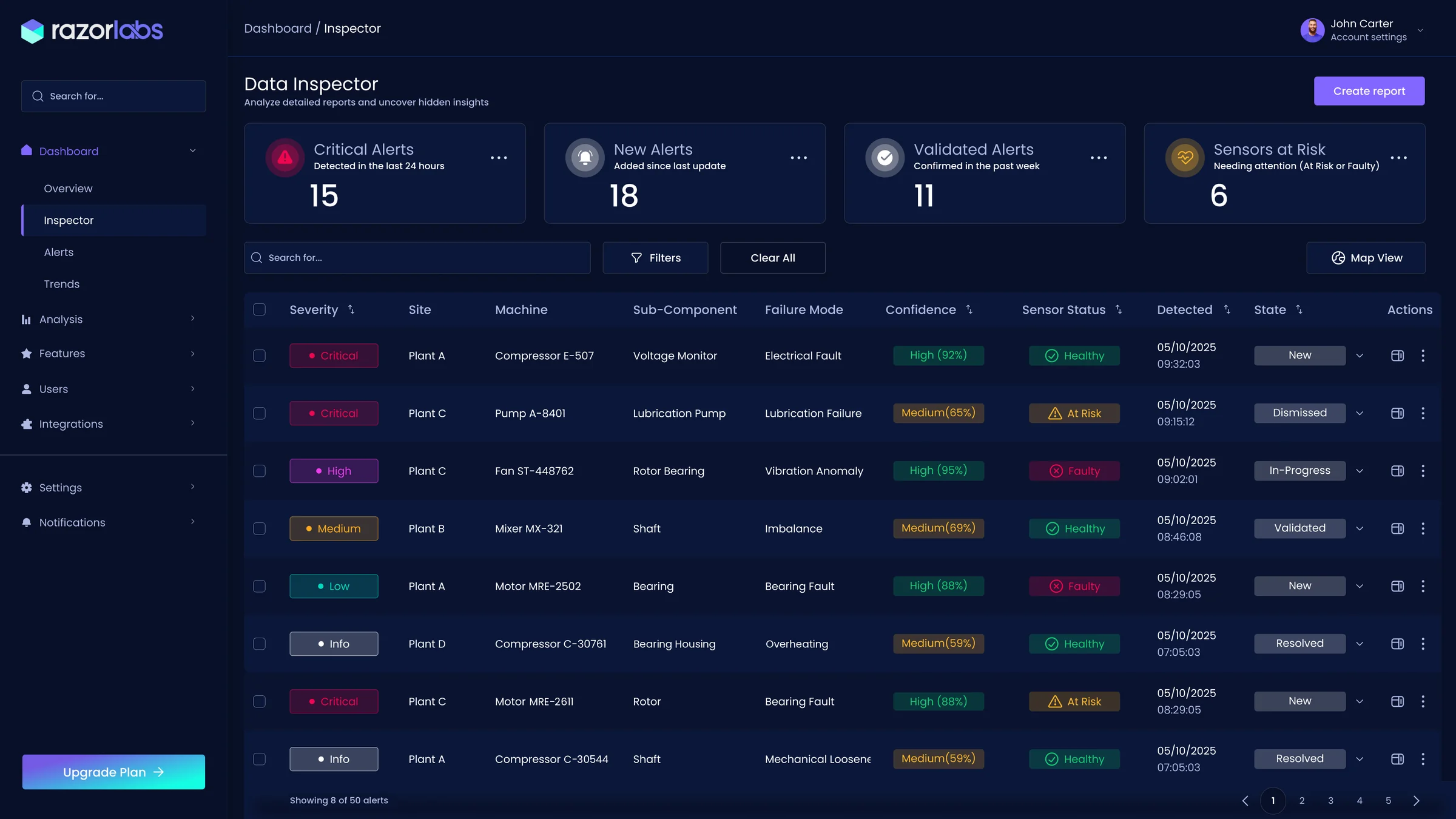
System health, active alerts and their priority in one table. The AI ranks every alert by severity, confidence and impact, so the day starts with what matters most.
 12345
- 1Health at a glanceFour counters answer the first question of the day: what's critical, what's new, what's confirmed, and which sensors are at risk.
- 2One color scale for riskCritical to Info, in the same colors on every screen, so risk is read before the text.
- 3Confidence beside the claimEvery alert shows how sure the AI is, in a word and a percentage.
- 4Can the sensor be trusted?A faulty or at-risk sensor is flagged right in the row, so a strong claim from a weak source stands out.
- 5One shared statusNew, in progress, validated, dismissed, resolved: the whole team sees where each alert stands.
02 · Investigate
The evidence opens beside the list, not instead of it
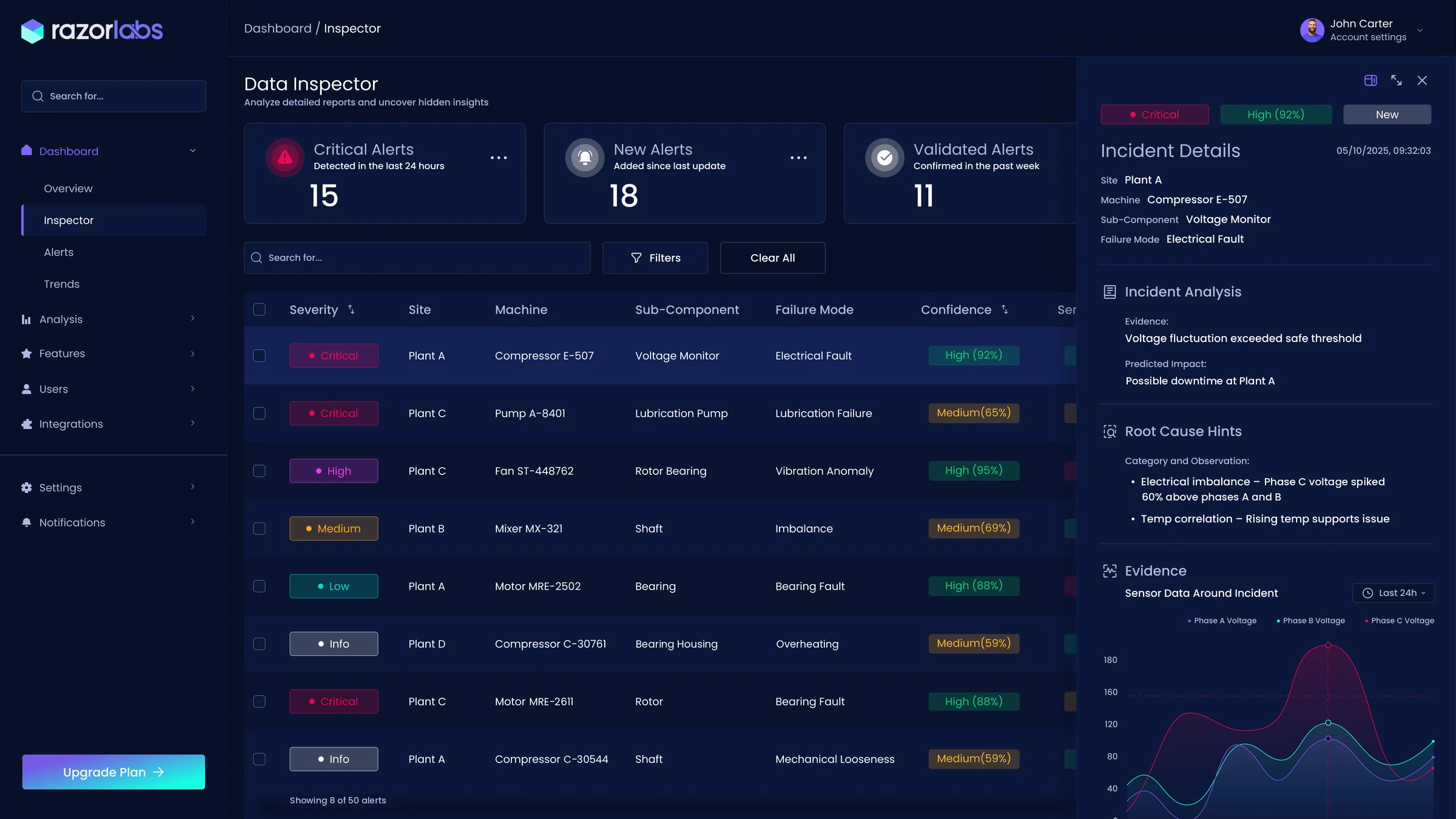
Selecting an alert opens its incident panel: what was detected, the likely root cause and the sensor data around the moment it happened. The table stays in view, so the investigation never loses its place.
 1234
- 1Context stays in placeThe selected alert stays highlighted in the table, so moving between alerts is one click.
- 2The verdict on topSeverity, confidence and state open the panel, in the same colors as the table.
- 3Reasoning in plain wordsRoot-cause hints say why it was flagged: Phase C voltage spiked 60% above the other phases, and rising temperature supports it.
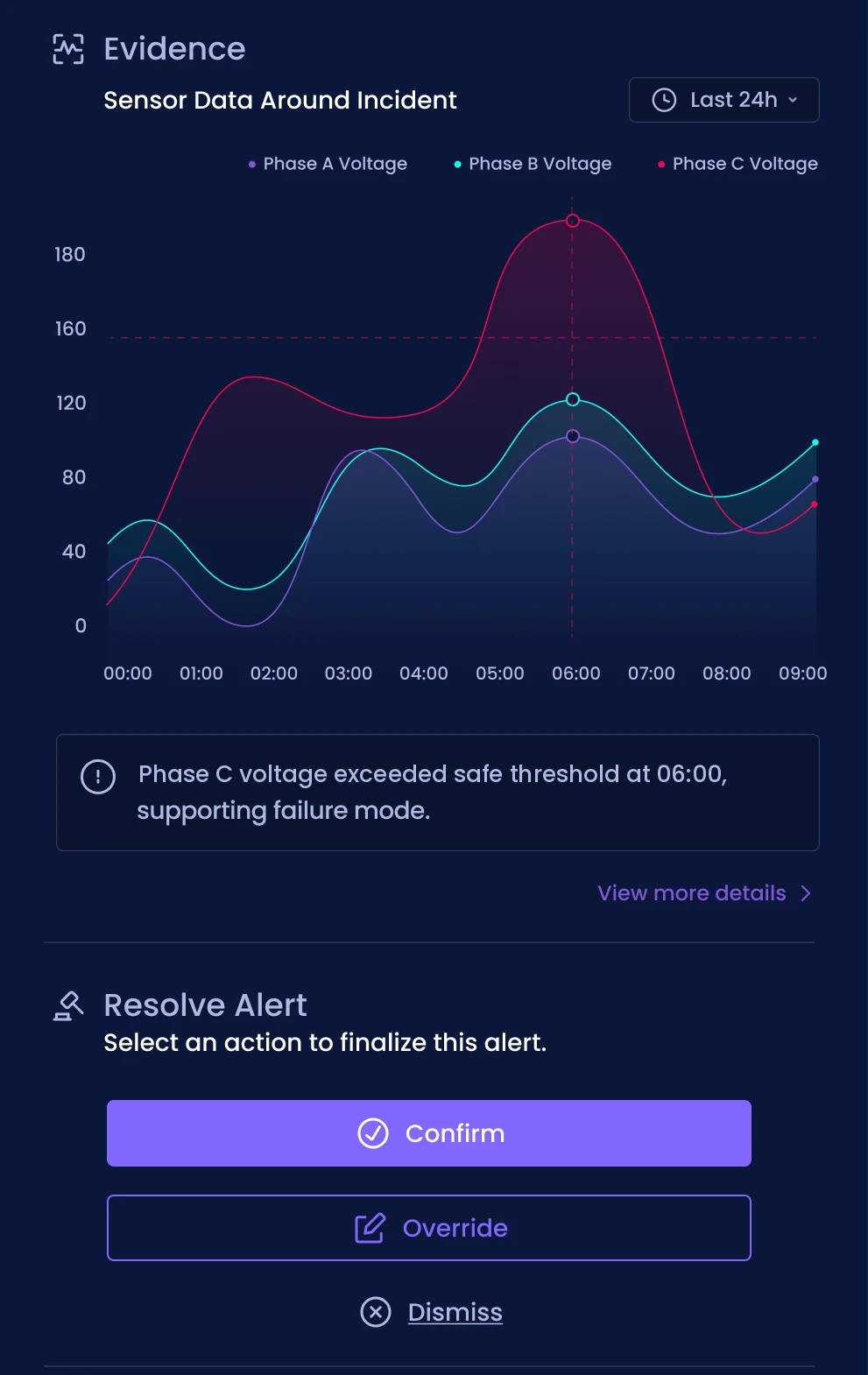
- 4Proof on a timelineThe three phase voltages around the incident, with the Phase C peak marked, so the hint can be checked against the data.
03 · Validate
The expert has the final word
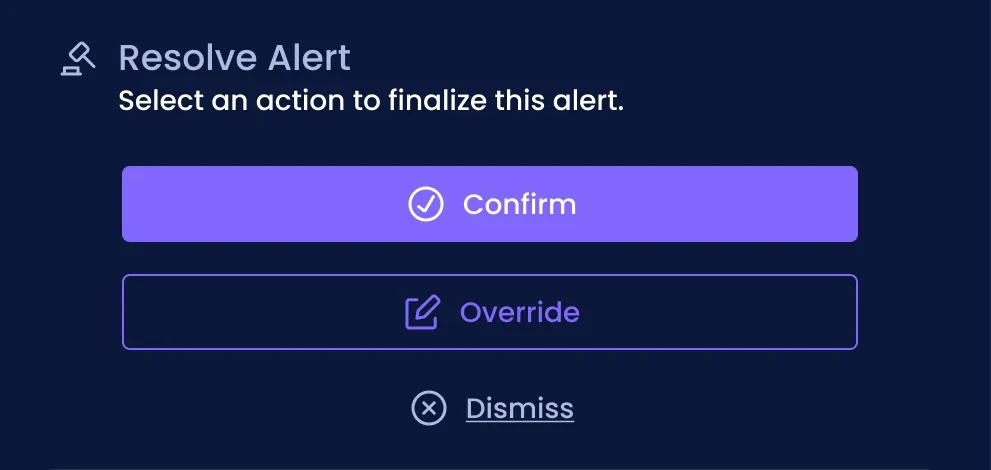
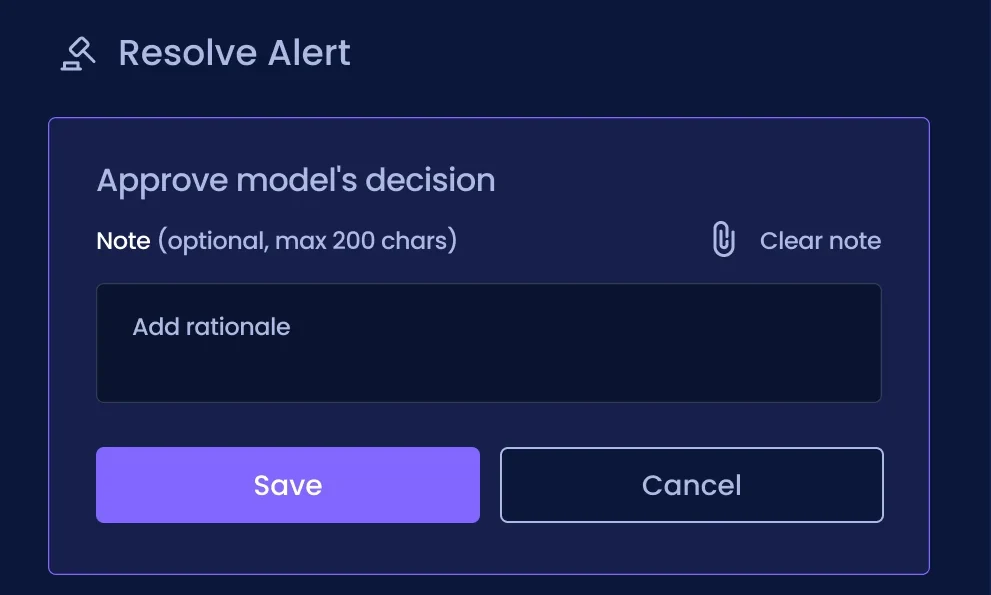
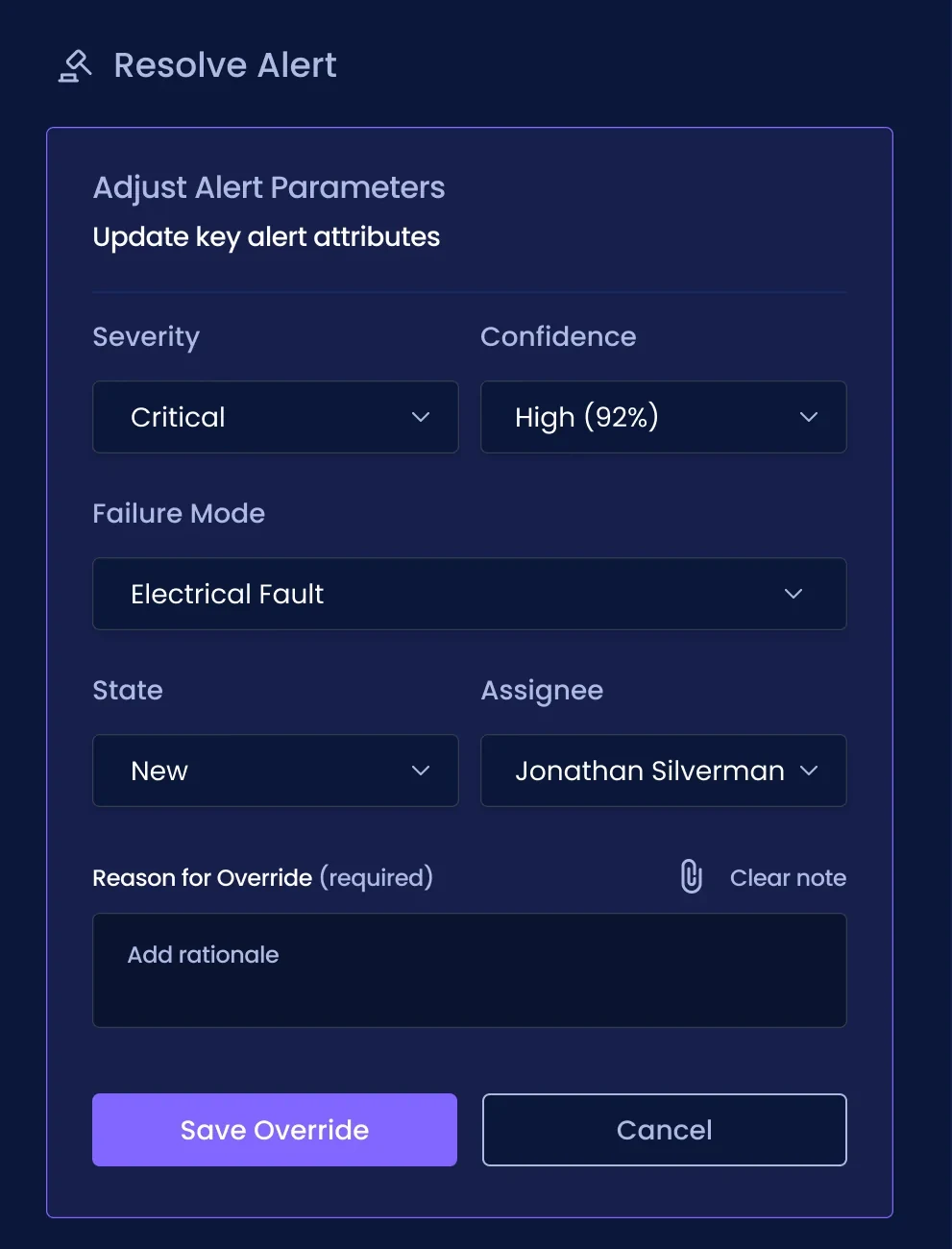
Every alert ends with a human decision. Agreeing with the AI is quick. Disagreeing asks for a reason, because that reason is what teaches the model.
Learn
Every decision leaves a trail
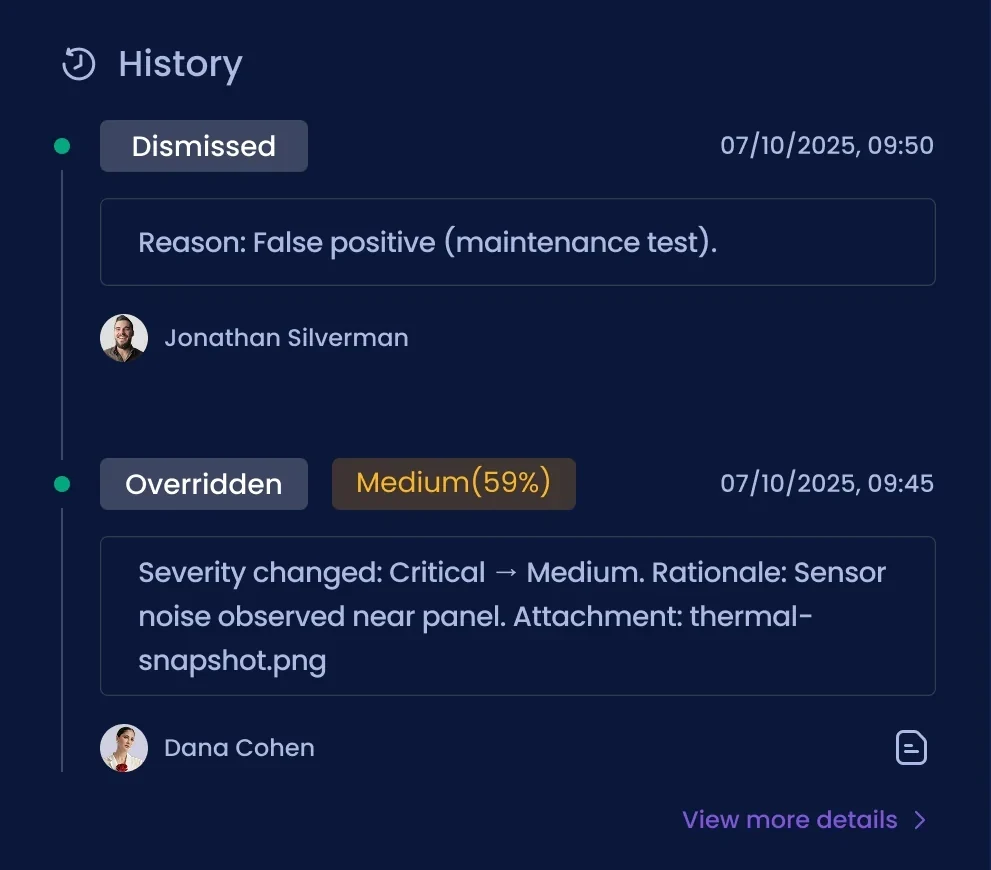
Confirmed, overridden and dismissed alerts stay traceable: what changed, who decided and why. The reasons become an audit trail for the team and feedback for the model.
- 01Who, when, whatEach entry shows the action, the person and the time.
- 02The change itselfAn override shows exactly what moved: Critical → Medium.
- 03The reason travels with itThe rationale and any attachment, like a thermal snapshot, stay with the decision.
- 04Knowledge you can reuseAnalysts review every override in one consistent format, instead of scattered notes.
Before / after
From scattered data to one shared workspace
Before
- Context rebuilt across several systems
- Charts everywhere, insight hard to find
- AI conclusions with no visible reasoning
- Feedback in formats nobody could reuse
After
- Detect, investigate and validate in one place
- What needs action first, detail on demand
- Every alert explained, with the evidence beside it
- Structured decisions that feed the model
What I did
- Ran the research: stakeholder interviews, task observation, journey mapping and a heuristic review
- Defined the four user roles and what each needs from an alert
- Mapped how decisions move between data science, experts and Customer Success
- Set the workflow and the design principles
- Designed the dashboard, the incident panel, expert validation and the decision history
- Created the severity color logic and a calm visual language for long sessions
AI shouldn't replace the expert.
It should show its reasoning,
and learn from every correction.
- Trust needs reasoningPeople rely on a prediction when they can see why it was made.
- Design the disagreementThe override flow mattered as much as the alert itself.
- Feedback is a featureA required reason turns each correction into something the model can learn from.